
The Most MFA Options in Higher Ed. One Method Per Person.
A campus is not an office. Testing centers ban phones, some students don't carry one, and a professor emeritus signs in differently than a sysadmin. QuickLaunch Adaptive MFA matches the method to the person and the friction to the risk passkeys to security questions, geofenced step-up to phoneless paths enforced from the moment an account is claimed.
9 method families · per-role deployment · enforced at account activation
Request a Demo
See adaptive rules and every method on your own directory.
Why Adaptive
One-Size-Fits-All MFA Fits a Campus Worst of All.
Force everyone onto phone push and you lock out the testing center, the phoneless student, and the shared lab machine on day one. Adaptive MFA reads the context who is signing in, from where, at what risk and applies exactly the verification the moment calls for. Security goes up because friction lands only where it belongs.
Context-aware verification
routine sign-ins from known devices stay fast; unusual location or geofence exits trigger step-up.
Role-based rules
students, faculty, staff, and privileged admins each carry their own method requirements and risk baselines.
Phoneless paths built in
email OTP, security questions, hardware tokens, and passkeys cover testing centers and phone-free students.
Phishing-resistant at the top
passkeys and hardware tokens to NIST AAL2 for the accounts that matter most.
Enforced at activation
method enrollment happens during account claim, so there is never an unprotected gap and never an enrollment campaign.
Every factor visible
MFA factors in use, failed attempts, and brute-force patterns feed the reporting layer in real time.
See It
Watch: Claimed in Under Two Minutes
From welcome notification to a protected, ready-to-use account the whole claim, in real time.
The Methods
Every Way to Verify, One Platform
Deploy different methods to different groups by risk profile the strongest factor a person can use becomes the factor they do use.
Passkeys
Phishing-resistant, 8× faster sign-in, device biometrics as the key.
Biometrics
Face and fingerprint verification on the user's own device.
Hardware Tokens
YubiKeys and FIDO keys for admins and privileged access.

Mobile Push
One-tap approval through the mobile authenticator.

Authenticator Apps
Time-based codes from any standard authenticator.
Email OTP
One-time passcodes by email — the phoneless path that always works.

SMS OTP
Text-message codes where policy allows them.

Geofencing Step-Up
Location-aware rules that add verification when sign-ins leave the expected zone.
Adaptive Rules
Friction Where the Risk Is. Nowhere Else.
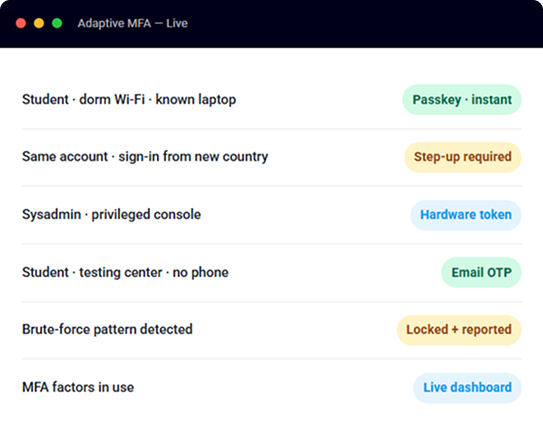
Adaptive MFA evaluates every sign-in in context. The same student gets a frictionless morning login from the dorm and a step-up challenge when their credentials show up from another continent automatically, by rule, with every decision logged.
- Known device, expected location: sign in and go no unnecessary prompt.
- New device or unusual location: step-up verification before access.
- Privileged role: phishing-resistant factor required, every time.
- Testing center: phoneless method honored the exam starts on time.
Results Across the Network
The Numbers Institutions See
FAQ
Frequently Asked Questions
The Student Identity Journey
One identity, from the day enrollment posts to everything IT can see.
Case Studies
Institutions Already on One Login
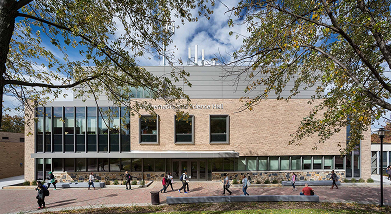 55,000+ FTE · <2 Months
Community College of Baltimore County
Centralized SSO across 100+ service providers with guided self-service account claim cutting a 1,000-reset-a-day help desk by nearly 95%.
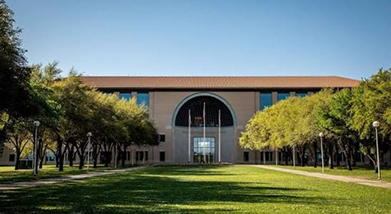 SSO + MFA
Texas A&M International University
Single sign-on and multi-factor authentication across the campus application portfolio, with self-service reset taking onboarding off the help-desk queue.
 Passwordless Onboarding
University of Houston-Clear Lake
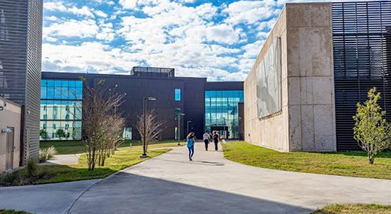
First-time account claim with no temporary passwords and SSO for students, faculty, and staff branded end to end to the institution.
Ready for MFA That Fits Every Person on Campus?
Nine method families, adaptive rules, phoneless paths, and enrollment at activation live in as little as 30 days.